Sound familiar?
LinkedIn is powerful for ghostwriters, but only if you can cut through the noise.
Research takes forever
Understanding a new client's industry means hours of scrolling through LinkedIn trying to find the right voices and trends.
Juggling multiple clients
Each client has a different audience, different competitors, and different engagement targets. Keeping it all straight is exhausting.
Missing the pulse
You need to know what's trending in each client's niche right now, but LinkedIn's algorithm shows you what it wants, not what you need.
Built for ghostwriters
The MyFeedIn features that matter most for ghostwriters.
A day for a LinkedIn ghostwriter
Per-client research that doesn't take all day.
Audience feed (per client)
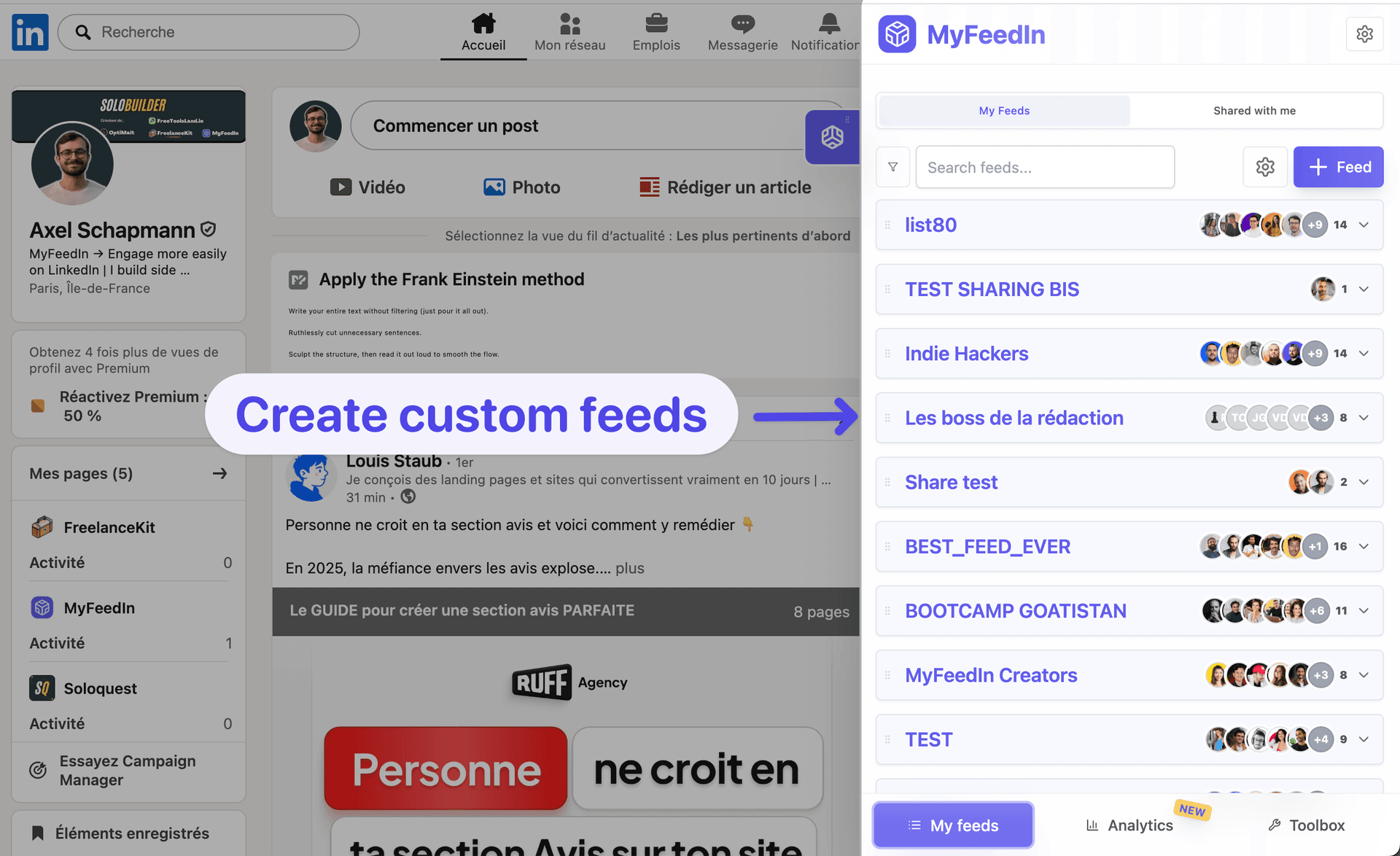
30 people who fit your client's ICP. What are they posting? What's resonating? What's the language? This is where post hooks come from.
Voice feed (per client)
Other writers and creators in your client's niche, especially ones whose voice your client respects. Mine for angles.
Competitor feed (per client)
Other thought leaders in the client's category. Spot what they're getting right and what they're missing.
Write from feeds, not memory
Open the audience feed while writing the next post. Their concerns become the post's hook. Their language becomes yours.
The result
Average 4 posts/week per client, all hitting 80+ on the post grader. Two clients retained for 18+ months, none churned in the last year.
Free tools for ghostwriters
LinkedIn Hook Generator
Create scroll-stopping hooks that make people click 'see more'
LinkedIn Post Grader
Score any LinkedIn post 0-100 and see exactly what to fix
LinkedIn Post Beautifier
Transform LinkedIn posts into beautiful, customizable images
LinkedIn Headline Generator
Generate compelling headlines that attract opportunities
LinkedIn Summary Generator
Write a professional About section that showcases your experience
Loved by LinkedIn creators
Founders, ghostwriters, and creators use MyFeedIn every day. Here is what they say.
 Bastien Velitchkine
MyFeedIn has made LinkedIn orders of magnitude more enjoyable. It's also allowed me to engage with the content that really matters, and spark worthwhile conversations. Business-wise, it's a no-brainer.
 Elodie Hughes
The time MyFeedIn saves me is just insane! Beyond being a tool I use every day, I recommend it because a lot of my clients have adopted it too!
 Alexandre Grisey
MyFeedIn helps me having a better LinkedIn feed and avoid useless distraction. It makes it easier to engage with the right people and saves me a lot of time!
 Maxime Lemaire
Great app! I use it like a social CRM, super handy for engaging only with my dream clients!
 Emmy Perez
An extension that changed how I use LinkedIn! So handy, simple, and effective. A well-designed gem for saving time!
 Ines Cointement
Excellent extension that keeps improving over time with more and more helpful features!
Bastien VelitchkineMyFeedIn has made LinkedIn orders of magnitude more enjoyable. It's also allowed me to engage with the content that really matters, and spark worthwhile conversations. Business-wise, it's a no-brainer.
Elodie HughesThe time MyFeedIn saves me is just insane! Beyond being a tool I use every day, I recommend it because a lot of my clients have adopted it too!
Alexandre GriseyMyFeedIn helps me having a better LinkedIn feed and avoid useless distraction. It makes it easier to engage with the right people and saves me a lot of time!
Maxime LemaireGreat app! I use it like a social CRM, super handy for engaging only with my dream clients!
Emmy PerezAn extension that changed how I use LinkedIn! So handy, simple, and effective. A well-designed gem for saving time!
Ines CointementExcellent extension that keeps improving over time with more and more helpful features!
 Camille Vingere
Total banger, it saves a crazy amount of time instead of scrolling endlessly on LinkedIn. And the product is clean and beautiful as a bonus.
 Adeline Lory
Super handy! I use MyFeedIn to make my LinkedIn monitoring easier and to organize my commenting strategy. Visibility matters a lot, and this helps me grow my network.
 Prisca Randriamihamina
MyFeedIn erased my LinkedIn mental load. Now I scroll smartly on my computer, and it's a completely different experience.
 Mai Anh Phi
A very, very useful extension that saves me time networking and helps me stay focused on my LinkedIn goals. Highly recommend!
 Paul-Olivier Rey
I've been using MyFeedIn intensively for 3 months. GOOOLD product, highly recommend!
 Alessio Fancello
The simplest and most effective extension for building custom lists on LinkedIn. Paired with the feed blocker, it lets you focus on the profiles you're really targeting.
Camille VingereTotal banger, it saves a crazy amount of time instead of scrolling endlessly on LinkedIn. And the product is clean and beautiful as a bonus.
Adeline LorySuper handy! I use MyFeedIn to make my LinkedIn monitoring easier and to organize my commenting strategy. Visibility matters a lot, and this helps me grow my network.
Prisca RandriamihaminaMyFeedIn erased my LinkedIn mental load. Now I scroll smartly on my computer, and it's a completely different experience.
Mai Anh PhiA very, very useful extension that saves me time networking and helps me stay focused on my LinkedIn goals. Highly recommend!
Paul-Olivier ReyI've been using MyFeedIn intensively for 3 months. GOOOLD product, highly recommend!
Alessio FancelloThe simplest and most effective extension for building custom lists on LinkedIn. Paired with the feed blocker, it lets you focus on the profiles you're really targeting.
Ready to save time on LinkedIn?
Try it free for 7 days, no credit card required. Cancel anytime.
Starter
Solo creators building presence on LinkedIn
Your posts
- Write, schedule and publish
- Track your post and comment analytics
Your network
- Unlimited custom feeds
- Save people, take notes, build your pipeline
7-day free trial · No credit card required
Growth
Founders & teams who post and prospect every week
Outreach
- 30 invitations or messages a day
- Multi-step sequences
- Steal prospects from competitors' posts
Cancel anytime
We've got something for you.
Lifetime Deal
Pay once, use forever.
- All Starter features included
- Outreach campaigns not included
Frequently asked questions
Can't find the answer you're looking for? Send us a message and we'll help you out.