Does unfollowing someone on LinkedIn notify them? (and are you still connected?)
 Axel Schapmann5 min read
On this page
Will they know if you unfollow them on LinkedIn?
No. According to LinkedIn Help, members aren't notified when you unfollow them. No alert, no email, no line in their activity. That's true for connections and for people you follow without being connected.
They could still notice in two ways, and both take effort on their side:
- Their follower count drops by one. They can't tell who left.
- Your name disappears from their followers list (My Network > Manage my network > Following & followers > Followers). Someone would have to search that list for you specifically. On bigger accounts it doesn't even work: LinkedIn only shows the first 1,000 results.
The real way to get caught is later. LinkedIn does notify members when you start following them again. If you unfollow someone and change your mind a month later, they'll see that you followed them.
Are you still connected after unfollowing someone on LinkedIn?
Yes. Unfollowing and connecting are separate. When you unfollow a connection, LinkedIn keeps you connected and only hides their updates from your feed.
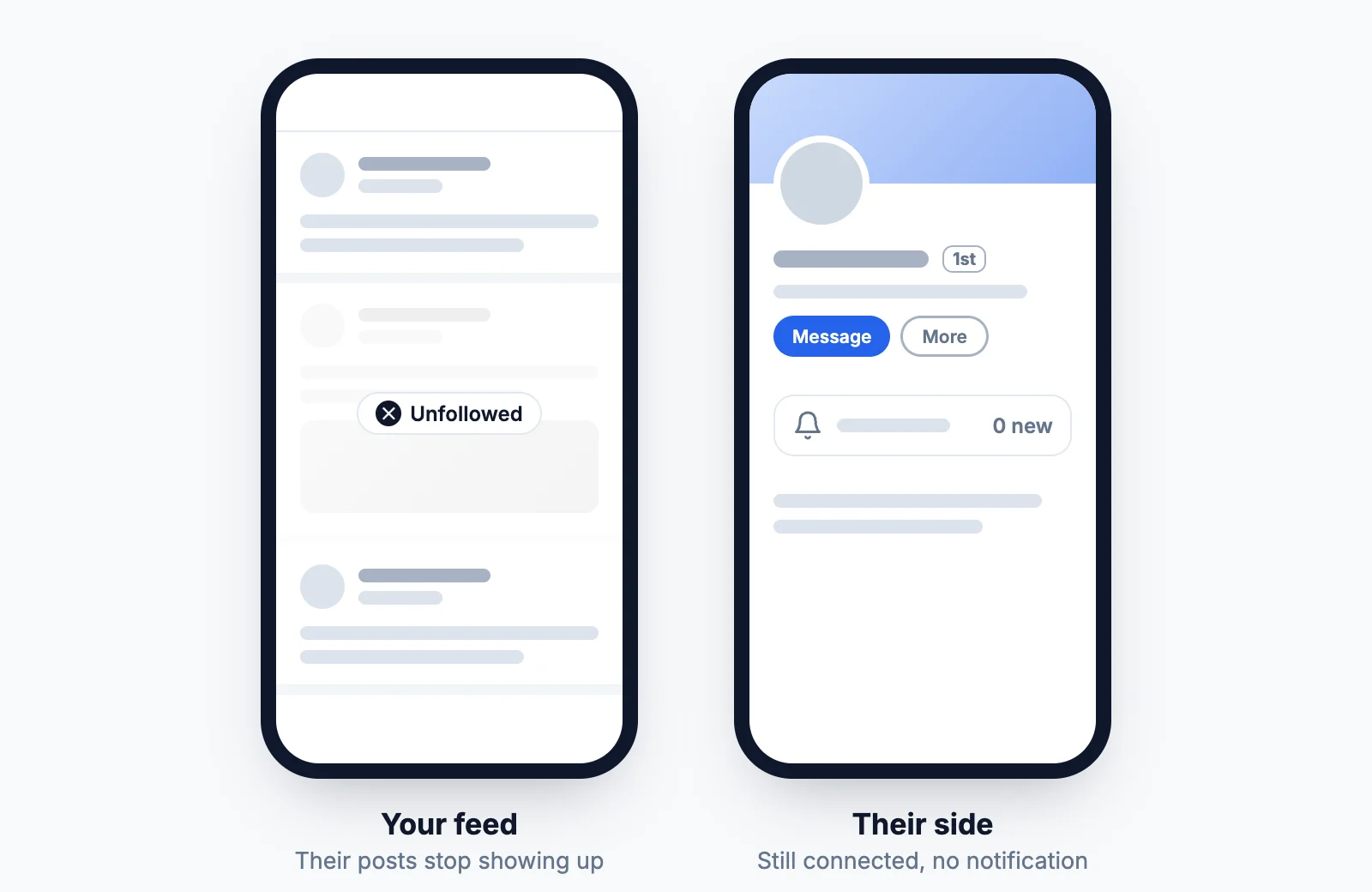
| After you unfollow them | |
|---|---|
| Their posts in your feed | Gone |
| Your connection | Stays |
| Messaging each other | Still possible |
| Your posts in their feed | Still there, they still follow you |
| Seeing each other's profiles | Unchanged |
| Notification sent | None |
Unfollowing only works in one direction. If you also want to leave their feed, they'd have to unfollow you, and you can't do that for them.
How to unfollow someone on LinkedIn
You can do it from a post, from their profile, or from the list of people you follow.
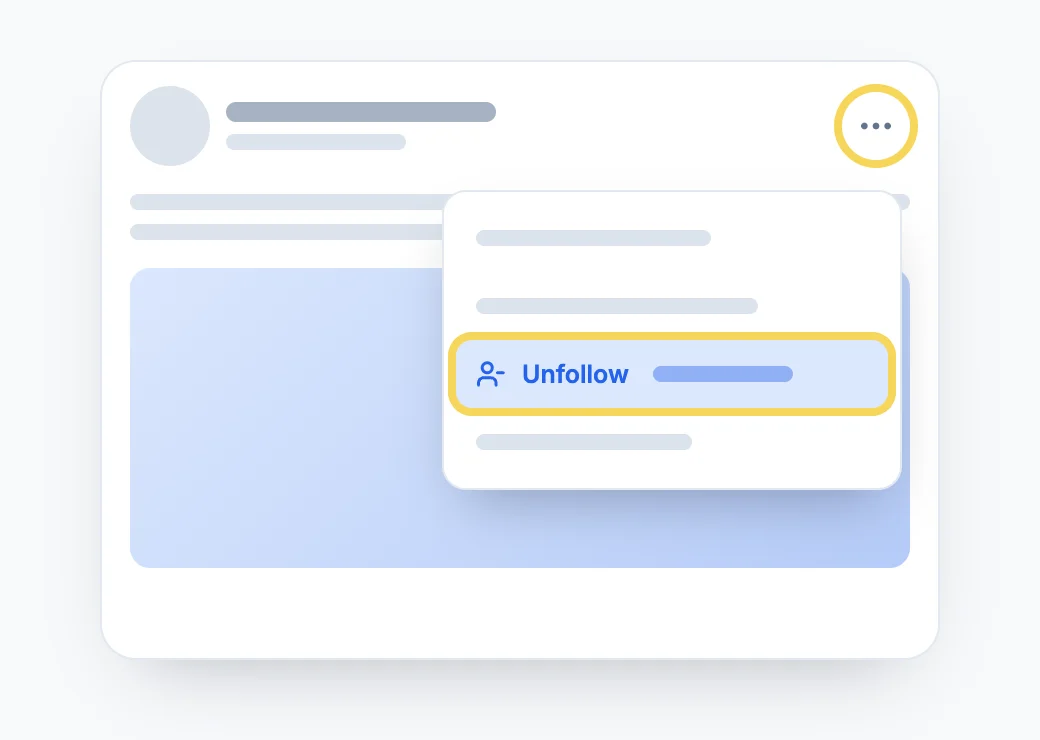
From a post in your feed (fastest):
- Click the More icon (three dots) at the top right of one of their posts.
- Click Unfollow [name].
From their profile:
- Open their profile.
- Click More in the introduction section.
- Select Unfollow.
From the list of people you follow:
- Click My Network at the top of LinkedIn.
- Open People I Follow (or Following & followers) under Manage my network.
- Click Following under the person's name. The button switches back to Follow.
The app works the same way: tap the three dots on a post or on their profile, then Unfollow. For the list, tap My Network, Manage my network, then People I follow.
There's no confirmation step and no cool-down. One limit worth knowing if you follow a lot of people: LinkedIn caps follows at 5,000 people you aren't connected to.
How to see who you unfollowed on LinkedIn
LinkedIn keeps a list, it's just buried in the settings:
- Click Me, then Settings & Privacy.
- Open Account preferences.
- Under Site preferences, click People you unfollowed.
In the app: tap your profile photo, Settings, Account preferences, then People you unfollowed.
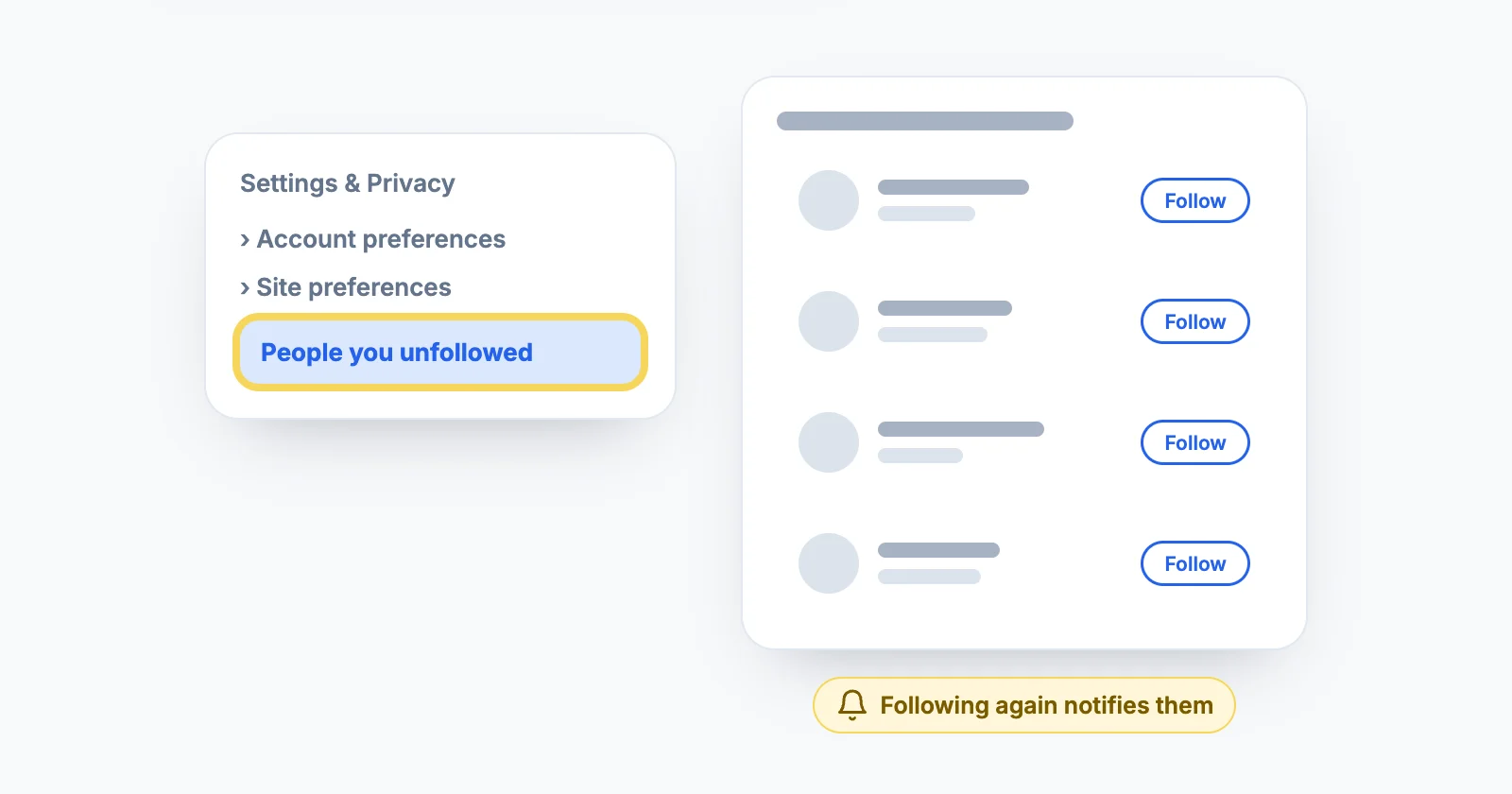
Click Follow next to a name to bring their posts back into your feed. Keep in mind that this is the step that notifies them.
Can you see who unfollowed you?
Not really. LinkedIn doesn't send a notification when someone unfollows you and doesn't keep an "unfollowed you" list. All you have is the same two clues other people have about you: your follower count and your Followers tab, capped at 1,000 results.
Tools that promise to track unfollowers usually need your LinkedIn login or a scraper running on your account, which LinkedIn's User Agreement forbids. It's not worth the risk for a number that changes every day anyway.
Unfollow, remove a connection or block?
| Unfollow | Remove connection | Block | |
|---|---|---|---|
| They're notified | No | No | No (except shared Recruiter accounts) |
| You stay connected | Yes | No | No |
| Their posts in your feed | No | Not documented | No |
| You can message each other | Yes | Only through InMail or an Open Profile | No |
| Endorsements and recommendations | Kept | Withdrawn for good | Removed |
| Undo | Follow again (they're notified) | New invitation | Unblock, then a new invitation |
Removing a connection is also silent: LinkedIn Help confirms they aren't notified. It's more visible than an unfollow though. You're no longer 1st-degree connections, they leave your Contacts, and any recommendations or endorsements between you are withdrawn and don't come back if you reconnect. To do it, open their profile, click More, then Remove Connection, or use the More icon next to their name in your Connections list.
Blocking cuts profiles, posts and messages in both directions. It's for harassment or someone you need out of your LinkedIn life, and it has its own rules: what happens when you block someone on LinkedIn.
For a noisy feed, unfollowing is the right tool: silent, reversible, and the connection stays useful if you need it later.
Why unfollowing more people is worth it
Most people accept every invitation and never unfollow anyone, then wonder why their feed is full of irrelevant posts. A former colleague's weekly motivational quote, a recruiter's generic career tips, someone you met at a conference three years ago: each one takes a slot that could go to someone you actually learn from.
A simple rule: if someone's posts haven't been useful to you in the last 30 days, unfollow them. Nobody finds out, and you can follow them again if their content gets better. More on this in why your LinkedIn feed is full of irrelevant posts.
Choose who you read instead of who you remove
Unfollowing removes people one at a time, and LinkedIn's algorithm still fills the gaps with suggested posts, viral content and ads.
MyFeedIn's creator feeds work the other way around: you pick the people you want to read, group them into feeds by topic or goal, and read those instead. No one gets unfollowed, no one gets notified, and your LinkedIn feed stops deciding what you see.
FAQ
Does LinkedIn notify someone when you unfollow them?
No. LinkedIn sends no notification, email or activity update when you unfollow someone, whether or not you're connected.
If I unfollow someone on LinkedIn, are we still connected?
Yes. Unfollowing only hides their posts from your feed. You stay 1st-degree connections, you can still message each other and see each other's profiles.
If I unfollow someone, can they still see my posts?
Yes. Unfollowing works one way. They still follow you, so your posts keep appearing in their feed unless they unfollow you too.
If I follow someone again after unfollowing, will they know?
Yes. LinkedIn notifies members when you start following them again. Unfollowing is silent, re-following isn't.
How do I see who I unfollowed on LinkedIn?
Go to Me > Settings & Privacy > Account preferences > Site preferences > People you unfollowed. The list shows everyone you unfollowed, with a Follow button next to each name.
Can I see who unfollowed me on LinkedIn?
Not directly. LinkedIn doesn't notify you, and the only trace is your follower count going down or a name missing from your Followers tab. LinkedIn shows at most 1,000 results in that list, so on a large account you can't check it reliably.
If I remove a connection on LinkedIn, will they know?
LinkedIn doesn't notify them. But you stop being 1st-degree connections, and any recommendations or endorsements between you are withdrawn and don't come back if you reconnect, so they may notice.