What happens when you block someone on LinkedIn (and will they know?)
 Axel Schapmann6 min read
On this page
What happens when you block someone on LinkedIn
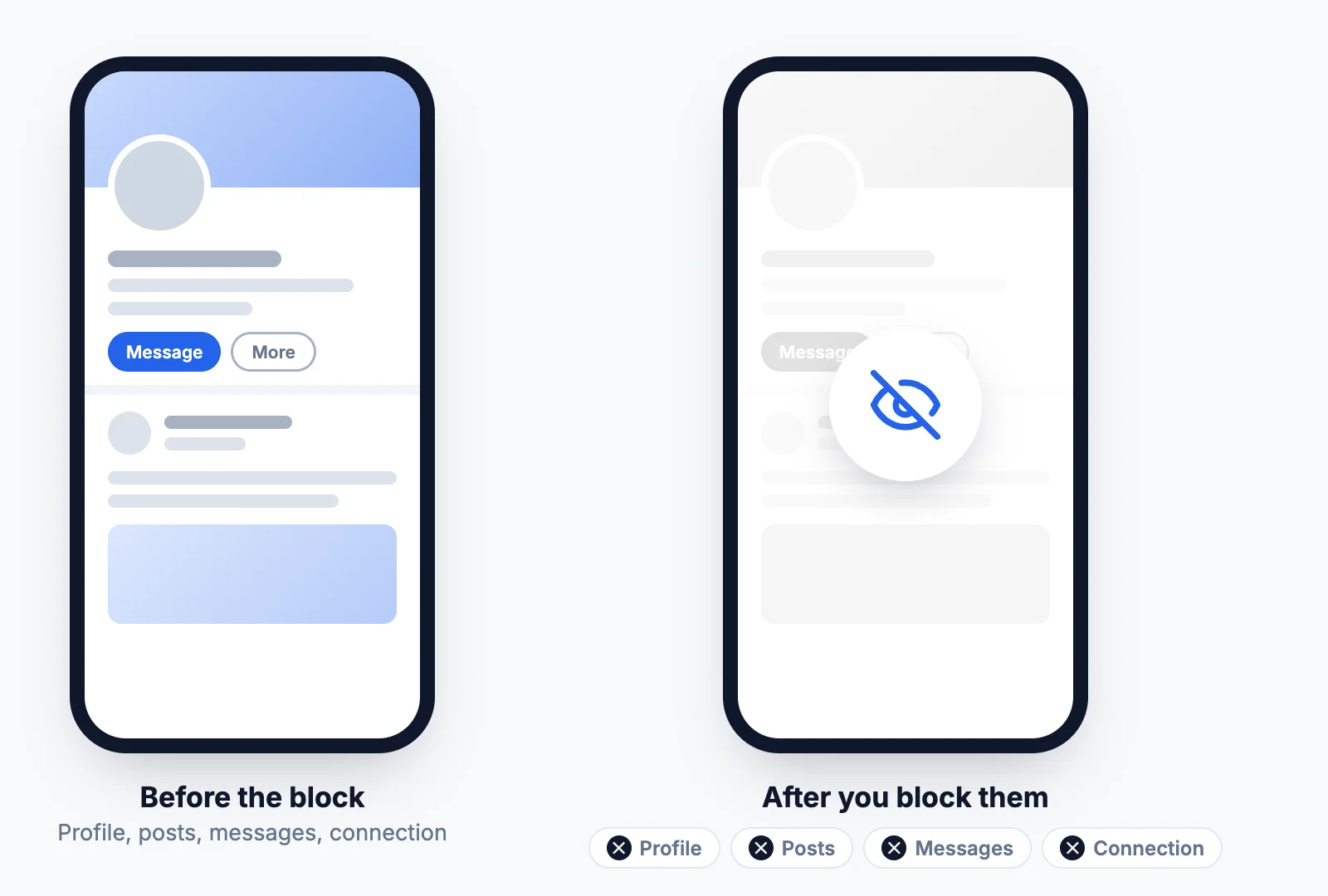
Blocking cuts every link between two accounts, in both directions. According to LinkedIn Help, once you block a member:
- You can't see each other's profiles on LinkedIn, and you disappear from each other's search results.
- You can't message each other.
- You can't see each other's posts or anything else either of you shares.
- Your connection is removed, if you were connected.
- You drop out of each other's Who's viewed your profile list.
- Their endorsements and recommendations disappear from your profile.
- LinkedIn stops suggesting you to each other in People You May Know and People also viewed.
- They stop getting your newsletter if they were subscribed, and you stop hearing about their LinkedIn Events.
Only you can undo it: the other person has no way to lift the block.
Will they know you blocked them?
No. LinkedIn sends no notification, email or alert when you block someone. LinkedIn makes one exception: if you share a LinkedIn Recruiter account with that person, or used to, LinkedIn may tell them or the Recruiter admin so the account can still be managed.
They can still work it out. Your profile stops opening for them, you vanish from their search results, you're gone from their connections, and they can no longer message you. Someone who looks for you on purpose will notice. Someone who wasn't paying attention usually won't.
If you block someone, will they see you viewed their profile?
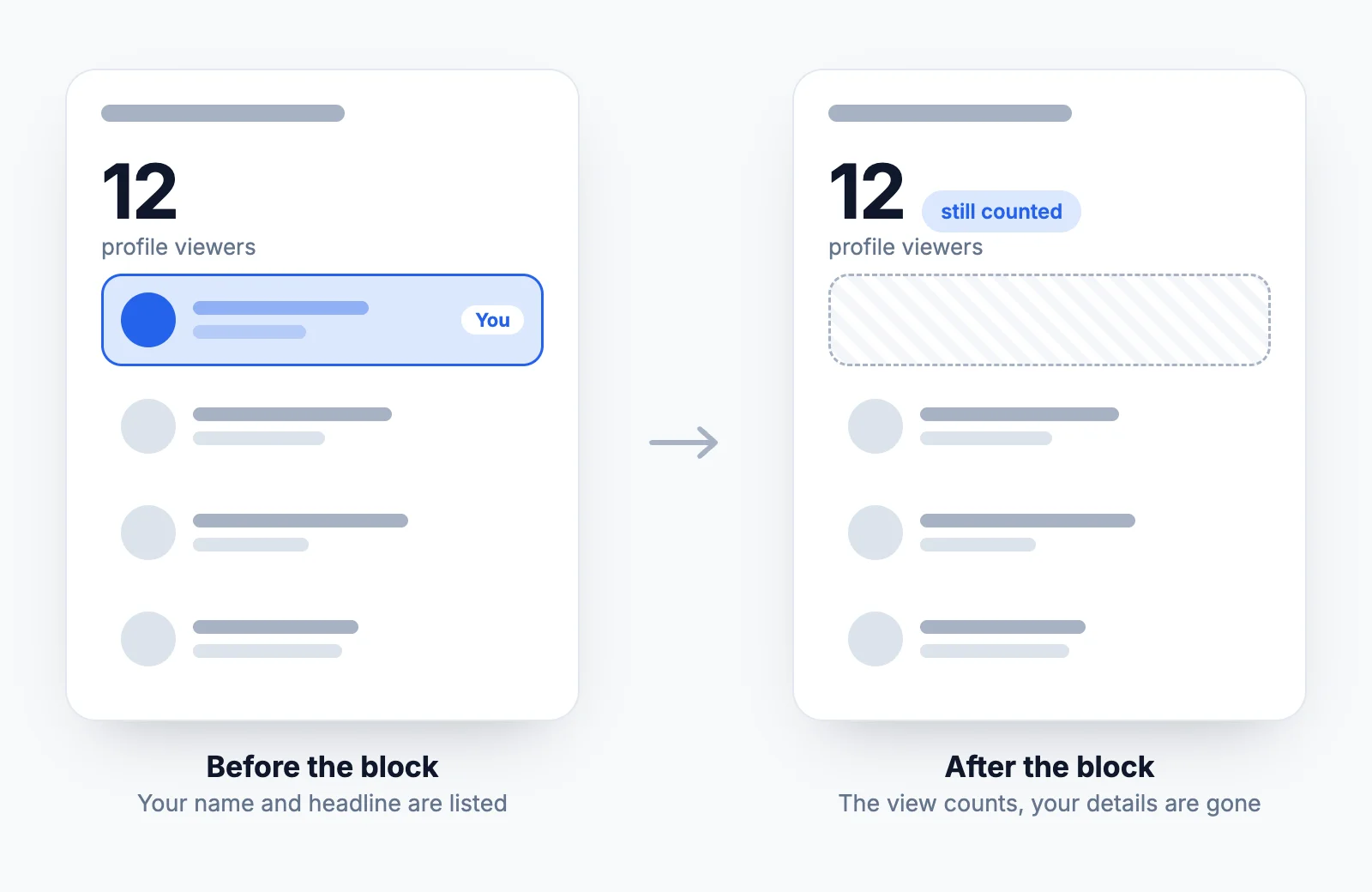
No, they won't see your name. The catch is that to block someone, you usually have to open their profile first, which counts as a profile view. LinkedIn handles it this way: if you viewed their profile before blocking, you still count in their viewer total, but your details don't show in their viewer list. After the block, you can't view their profile at all.
So they might see that one more person viewed them, but not that it was you.
If you'd rather not appear at all, switch to private mode before you open their profile: Settings & Privacy > Visibility > Profile viewing options > Private mode. Your view then shows as an anonymous LinkedIn Member. One trade-off on a free account: while private mode is on, you can't see who viewed your own profile. More on how those settings work in our guide to who viewed your LinkedIn profile.
What can a blocked person still see?
Anything you've made public outside the signed-in LinkedIn experience. LinkedIn lists:
- Your public profile, the version shown in Google and to people who aren't signed in.
- Content you posted publicly, including posts in open group discussions.
- Your comments on Top Voices posts.
To close that gap, edit your public profile: Settings & Privacy > Visibility > Edit your public profile, then turn off its visibility or hide your photo. Nothing stops a screenshot someone already took, or a post that was shared outside LinkedIn.
It works the other way too. You may still see their content if a mutual connection reshares it into your feed (you can hide those updates), or cached data in the mobile app until you sign out and back in.
Does blocking someone on LinkedIn delete messages?
LinkedIn only says you won't be able to message each other once one of you blocks the other. It doesn't document whether your old conversation is deleted, hidden, or comes back if you unblock, and the guides that claim to know contradict each other.
So treat the thread as gone: if it holds anything you need, like an agreement, contact details or evidence of harassment, screenshot it or copy it somewhere before you block. The same goes for their posts. If one contains something you want to keep, save it first; our LinkedIn video downloader and image downloader grab the media from any public post.
How to block someone on LinkedIn
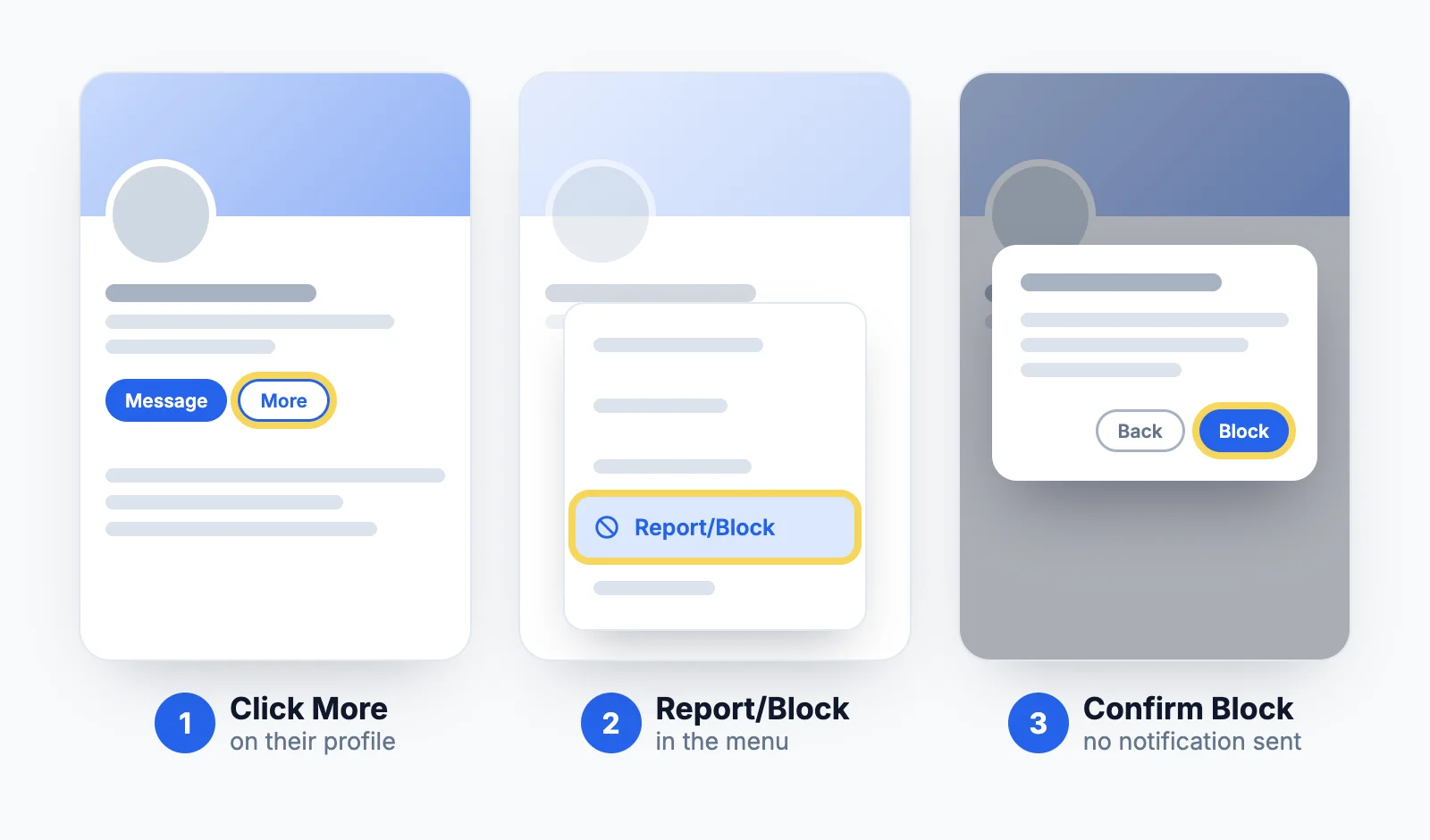
On desktop:
- Go to the profile of the person you want to block.
- Click More below their profile picture and select Report/Block.
- Select Block [name].
- Click Block to confirm.
On iPhone or Android:
- Open their profile.
- Tap the More icon (three dots) at the top right.
- Tap Report or block, then Block [name].
- Confirm with Block.
No block option? LinkedIn hides it in two cases. If the person is an admin or owner of a group you're in, leave the group first. If they organize an event you're attending, leave the event first. You also can't block someone who only viewed you in private mode, since LinkedIn never tells you who they are.
How to unblock someone on LinkedIn
- Click Me at the top of LinkedIn, then Settings & Privacy.
- Open Visibility, then Blocking under Visibility of your profile & network.
- Find the person in your blocked list and click Unblock.
In the app, tap your profile picture, Settings, Visibility, then Blocking.
Unblocking is only a partial undo. You aren't connected again, so you'd have to send a new invitation. Recommendations they wrote for you stay deleted. And if you change your mind again, LinkedIn makes you wait 48 hours before you can re-block the same person. There's no limit on how many people you can block, but past 2,000 blocked members you may need support to unblock anyone.
How to know if someone blocked you on LinkedIn
LinkedIn will never confirm it. When you can't find a member, LinkedIn Help gives four possible reasons: they hibernated their profile, their account was removed for breaking the rules, they closed their account, or they blocked you.
To narrow it down:
- Search for their name while signed in. A blocked member doesn't show up, and a profile link you saved won't open for you.
- Check your connections and messages. If you were connected, they're gone from your list, and you can't send them a message.
- Search for them signed out, or in Google. If their public profile is still there but they're invisible from your account, a block is the likely explanation. If the profile is gone everywhere, they probably closed or hibernated their account.
Even then it's a strong hint, not proof.
Block, remove a connection or unfollow?
| Unfollow | Remove connection | Block | |
|---|---|---|---|
| They're notified | No | No | No (except shared Recruiter accounts) |
| You stay connected | Yes | No | No |
| They can message you | Yes | Only through InMail or an Open Profile | No |
| They can see your profile | Yes | Yes | Only the public version |
| Easy to undo | Yes | New invitation needed | Unblock, then a new invitation |
Block for harassment, a stalker, a scammer or someone you need out of your LinkedIn life. For a noisy feed, unfollowing is enough and nobody finds out: see does unfollowing someone on LinkedIn notify them. And if the worry is your employer rather than one person, read what your employer can see on LinkedIn.
When the real problem is your feed
Most people who reach for the block button are fed up with what LinkedIn shows them, not with one person. Blocking, unfollowing and "I don't want to see this" all work one account at a time.
MyFeedIn's creator feeds turn that around: you pick the people you want to read, group them into feeds, and read those instead of the algorithm's mix. Nobody gets blocked, nobody gets notified, and the people who annoy you just stop showing up.
FAQ
Can you block someone on LinkedIn?
Yes. You can block any member from their profile, on desktop or in the app, whether or not you're connected. The exceptions: you can't block the admin of a group you belong to or the organizer of an event you're attending until you leave that group or event.
Does LinkedIn notify someone when you block them?
No. The blocked member gets no email, alert or notification. The one exception LinkedIn lists is a member you share or have shared a LinkedIn Recruiter account with, who may be told so the account can still be managed.
If I block someone on LinkedIn, can they still see my profile?
Not while they're signed in to LinkedIn. They can still see your public profile (the version search engines show to people who aren't signed in), your public posts and your comments in open groups. You can hide your public profile in Settings & Privacy if that matters.
If someone blocked me on LinkedIn, can I see their profile?
Not from your account. Their profile, posts and messages become unreachable for you while you're signed in. Their public profile can still show up in a search engine if they haven't hidden it.
How many people can you block on LinkedIn?
There's no limit. LinkedIn only notes that if you've blocked more than 2,000 members, you may not be able to unblock someone without contacting support.
Can you block someone who viewed your profile in private mode?
No. Private mode viewers show as LinkedIn Member with no name, and LinkedIn doesn't let you block them or reveal who they are, even with Premium.
If I unblock someone on LinkedIn, are we connected again?
No. Blocking removed the connection, so you'd send a new invitation. The recommendations they wrote for you don't come back either, and you have to wait 48 hours before blocking the same person again.